
Downloading apps, where to find them and how to delete them
- Carolina Grandia Soler
- Sep 13, 2022
- 3 min read

Hi, it's Carolina! Today we're going to explain a simple topic, so we can escalate on difficulty one step at a time. This post won't be as technical as the previous one, so get yourselves some drinks and let's get down to business.
Nowadays a vast majority of supermarkets and other service stores we frequent require the use of some app or they recommend it to benefit yourself off coupons etc. Whenever I go to the supermarket I get asked: "do you have the *insert supermarket name* app, miss?
And as I suppose I'm not the only one who gets asked this, I'll explain today how to download apps for iPhone (the one with the bitten apple) and android.

How do I download apps on my phone?
Let's start with the bitten apple (iPhone):
In your Home Screen (the one that appears when you turn your phone on), go to the App Store. It is blue with an "a" I'm the middle, so it's easy to recognise.

In that app, on the inferior right corner a magnifying glass with the word "search" will appear. Click there.

Search the app you want and select it.

Something like this will come up, choose the app you want and click on it.

In the selected app, click "get" and the download will begin. You will be able to see how the download is going both in the App Store and in your Home Screen. When the small circle of the app is completed, the download will have finished.

But watch out, some apps aren't free, you will have to pay for them. These display the price instead of the "get +" button. For example:
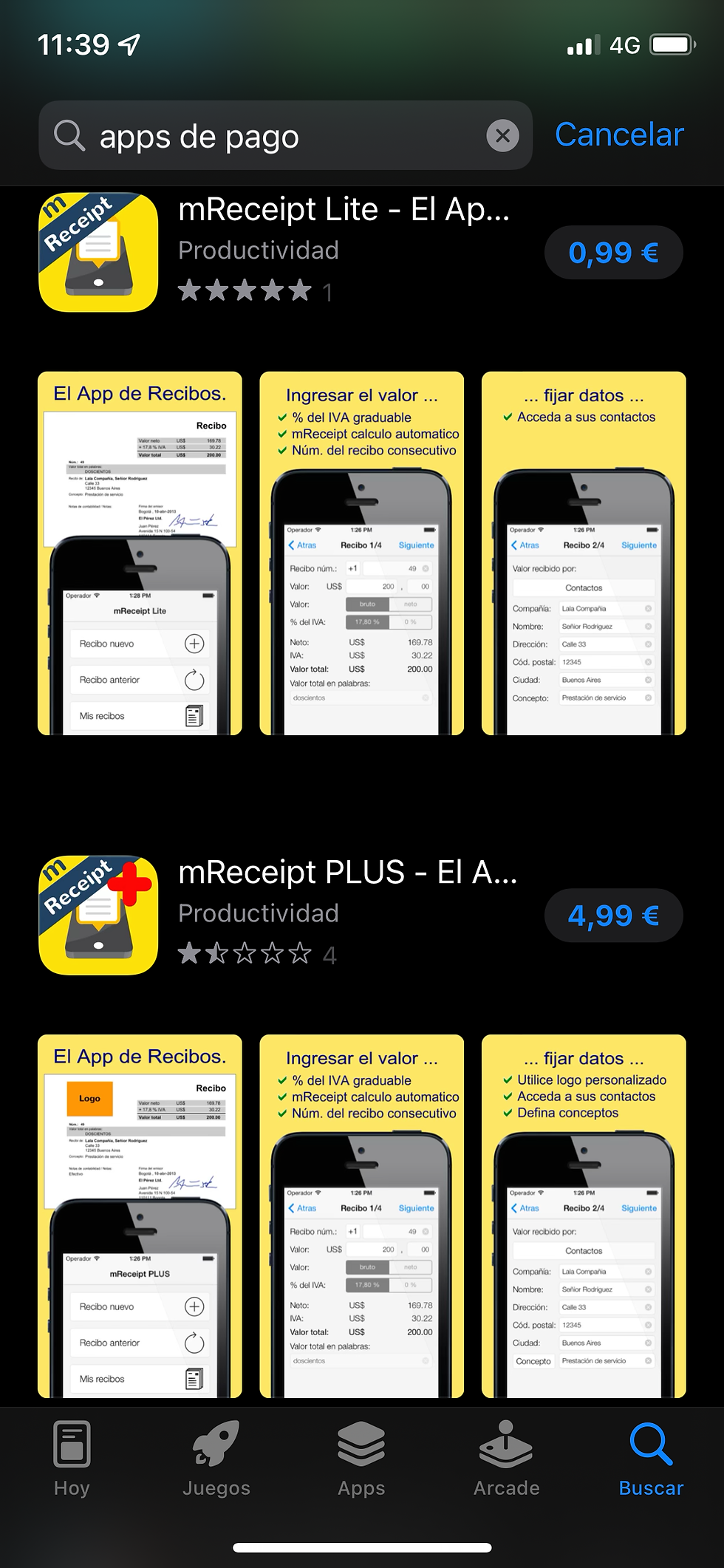
So be careful when downloading an app.
Let's continue with android devices:
In your Home Screen (the one that comes up after unlocking your phone) you'll find an app called play store. Click on it.
P D: to log into the play store you need a Google account (I'll make a post explaining all things Google related) For now I'm going to leave this link here so you can guide yourselves through the sign up:
Look up the app you want and click on it.

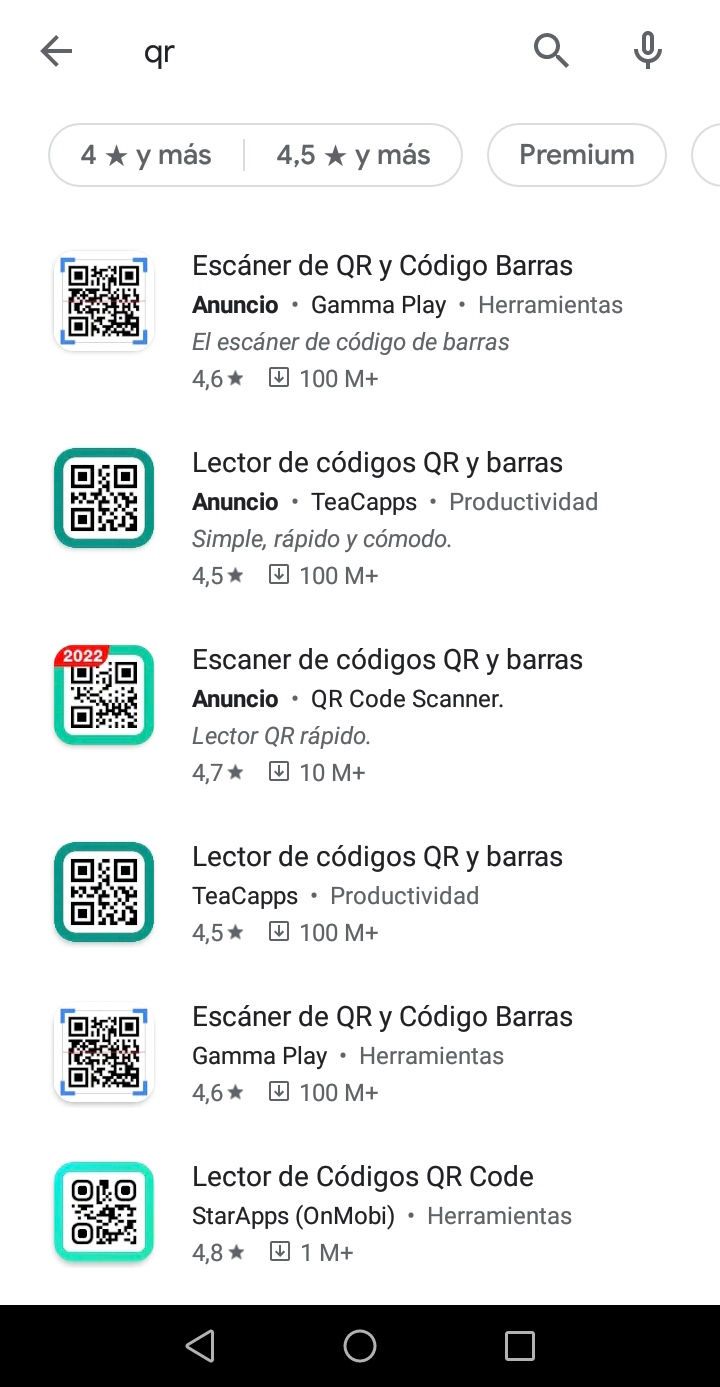

Now simply click install and the download will begin.
You will be able to see how the download is going in the Play Store. When it is finished, it will appear in your Home Screen.
Just as on iPhone, apps with the price tag will cost money.
And, where are those apps?
They should be in your home screen, although some apps can be in groups of apps. Like this exaple on iPhone:
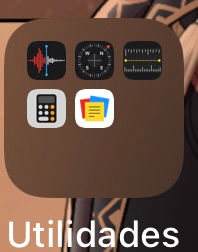
Simply click on this group and choose the app you want.
To create these groups on iPhone, press on the apps until they shake, then pile them up one by one together.
In android just drag one app on top of another, similar to iPhone.
And, how do I delete apps?
If you get tired of one app, find it useless or need to free up some space from your phone, delete some apps.
On iPhone:
Press the app until it shakes and then press the "x" or minus sign that will appear on top of it. Then choose "delete app" and confirm. (If you have a newer iPhone you will just have to press the app and choose to delete it)
On Android:
Press the app and drag it to the top of your screen, where "uninstall app" (or something along those lines) will appear. Then confirm and voilà!
I hope that thanks to this post you will be able to catch all the offers in the supermarket, download games to kill time or do more important stuff, like managing your bank account! Thanks for your attention, if you have any queries or doubts I'll answer it in the comments, see you!
Carolina Grandía Soler - 10/09/22


Comments