
Happy birthday to you, happy birthday to you... How to program birthdays in your phone.
- Carolina Grandia Soler
- Nov 20, 2022
- 2 min read

Welcome to CaroAlAparato! I'm Carolina and I'm someone who has too many things on her mind, so before discovering the feature I'm going to talk about today, I used to forget people's birthdays. If you happen to be like me, saving your friend's birthdays on your phone will save you from many misunderstandings, so let's cut to the chase.
Image by vectorjuice on Freepik
iPhone version:
This is how you can activate reminders for birthdays if you use any Apple device:
Go to the 'calendar' app.
On the central bottom part of the screen, tap on 'calendars'.

Scroll down until you find 'Birthdays'.

Make sure that it is activated (the tick is visible).
Leave the app.
Go to the 'Settings' app. Scroll down until you find 'Calendar', tap on that option.

Scroll until you find 'Default alert times'.

Tap on 'Birthdays' and choose whenever you want to be notified.
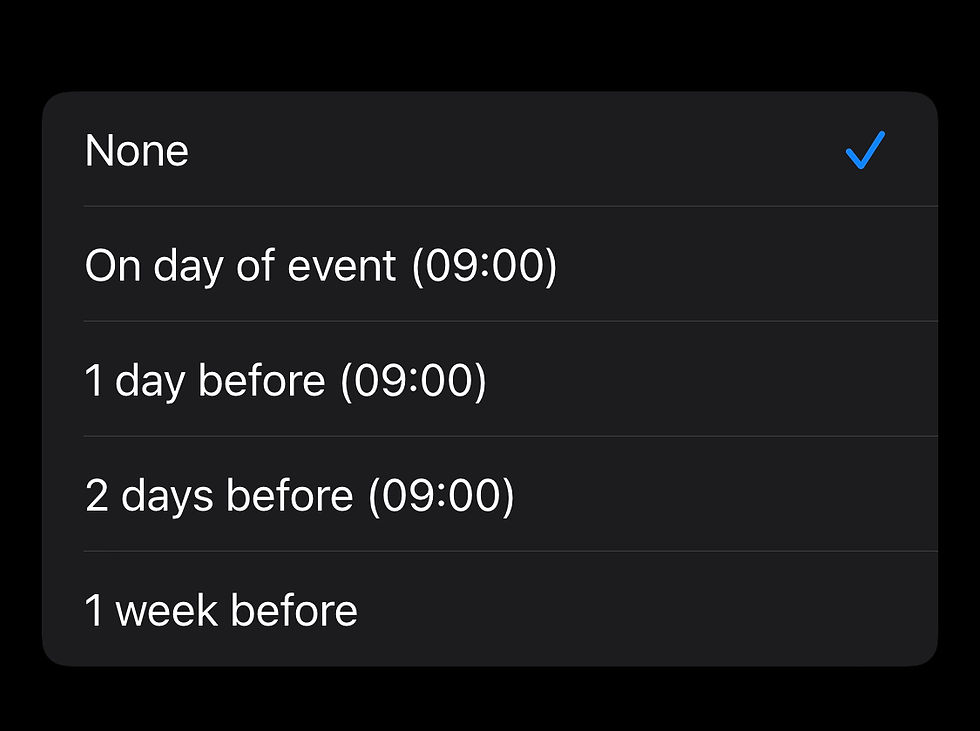
Now just add your contact's birthdays, to do so:
Go to the 'contacts' app.
Select the contact whose birthday you want to remember (or create a new contact).
Tap 'edit' (which will be in the top right corner).

Scroll down until you find 'Add birthday'.

Set the birthday date.
Tap 'OK' in the top right corner.
What about Android?
To activate birthday reminders on Android, I recommend you install the Google Calendar app. You can follow these steps to download the app and sign up on Google:
For the birthday part, we have two options: we can add them to our Google Contacts (it works the same way as your normal Contacts app, but it's the Google version) or we can set the birthdays as a periodic event.
I'm going to explain the second option:
Go to the 'Google Calendar' app.

Tap on the '+', it should appear in your bottom right corner.

Choose 'event'.
Name it '_____'s birthday' or however you want to name this event.
Edit the date and set it to your friend's birthday.
Tap on 'Does not repeat' and change it to 'Every year'. This way, you will be notified every year and won't have to repeat this operation for each birthday.


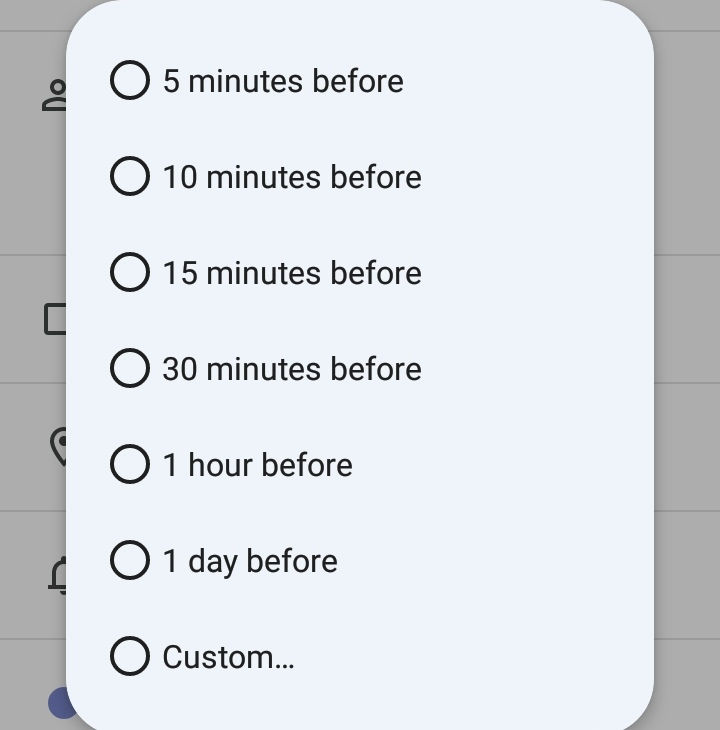
Tap on 'Add notification', and choose when you want to be notified.

Tap on 'Save' in the top right corner.

And that's how you ensure you don't fail your friends in the nowadays technological era! I'm kidding, please try to remember others' birthdays and gift them some cake or a little present, even the smallest detail might make them happy.
Well, leaving this friendship masterclass behind, I hope you enjoyed today's post and I hope it was helpful. Have a nice week!
Bye!
Carolina Grandía Soler - 13/11/22


Comments